Aug 17th, 2008 by yohanes
Some people like certain mini games that they can play during their spare time. My favorite spare-time games are bomberman type games, and MiniBlaster is one of then. Miniblaster is fun for me because unlike some other implementations, in each stage I can get multiple bonus items (more bombs, larger explosions, etc). This is good, because I don’t think I will play long enough to get a lot of bonus. The only thing missing from MiniBlaster is the ability to save the current game so we can continue it some other time.
I am having difficulty in capturing the game’s screen, but you can see it at the author’s site. You can download mini blaster from:
http://www.martin.st/software/blaster/
Posted in game | 1 Comment »
May 13th, 2008 by yohanes
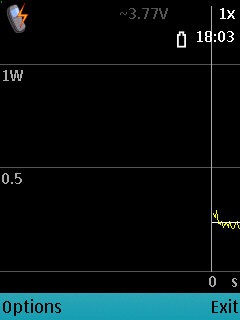
 Nokia energy profiler can be used to see how much energy that is currently being used by the phone. This application is actually meant for developers to test their application’s power usage, but it can be useful for everybody.
When I am deciding whether to use an application that runs invisible in the background, I will test the power usage of the application. If the applications takes too much power, then I will usually decide not to use the application.
When this application runs, it will plot the graph of current power usage of entire system, it can not show power usage for an application. To test an individual application, you will need to close other applications. To see how much an application use, just see the increase from the average when you are not running any applications, and when you are running an application.
You can download this application from Forum Nokia
Posted in Uncategorized | 1 Comment »
May 11th, 2008 by yohanes
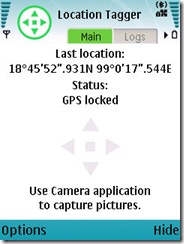 Sometimes Nokia doesn’t do "the right thing" immediately. For instance the ability to tag a picture with the current GPS Location is not yet available. If the ability to tag a picture with the GPS position is available you can upload your pictures to a photo sharing service, and it will display the location where you take the pictures in the map.
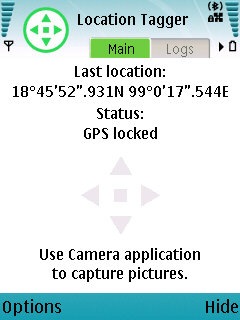
The Nokia already have Camera, GPS Data, and Map application, but it can not (yet) tag a picture with current GPS location. To patch this deficiency, they have developed Location Tagger. When Location Tagger is running, it will try to acquire your location using GPS, and it will monitor the camera application to tag any pictures that you take.
If you are using flickr, don’t forget to activate this feature in this URL: http://flickr.com/account/geo/exif/
You can see an example picture that I took from my apartment tagged with Location Tagger: http://www.flickr.com/photos/yohanes/2481793711/
Posted in Uncategorized | Comments Off on Location Tagger
May 11th, 2008 by yohanes
 I like listening to audio books using my iPod, because it can remember the last played position of a file, and I can easily seek to chapters and locations using the scroll wheel. Using built in media player in Nokia phones to listen to audio books is definitely not fun.
Fortunately Nokia have built a tool to listen to audiobooks. It uses AMR-WB format which will compress speech audio files to a very small size. You will need a converter tool (also provided by Nokia) to convert your audio book to the format accepted by Nokia Audiobooks.
The navigation function for reading audio books is much better compared to the built in audio book, and you can use bookmarks to mark a position in the book.
You can download some free audio books from LibriVox.
You can download this application from Nokia Beta Labs.
Posted in multimedia, signed | Comments Off on Nokia Audiobooks
May 11th, 2008 by yohanes
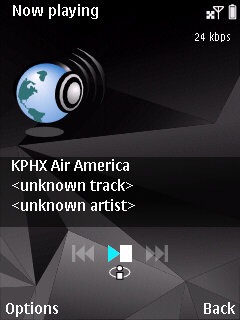
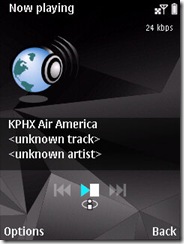 You might ask why would you want a radio application when you already have a built in FM Radio in your Nokia. The answer is simple: you can listen to radio stations in other countries via Internet and you don’t need a wired headset to listen to the radio (the FM Radio can not be used with bluetooth headset only). The Nokia Internet Radio is not the same thing as S60 Internet Radio (which doesn’t work very well for me).
You can browse radio stations by country and by language, and you can also search or add stations manually. By default if you are using Wifi or 3G connection, high quality stream is preferred, but you can lower the quality through the settings to access radio stations where the servers are in far away countries.
As you may have guessed, this application requires large amount of data to be transferred while you are listening to the radio. If you don’t use free wifi and doesn’t have unlimited data plan, you shouldn’t try this program. Also remember that sometimes your unlimited data plan only works in home network, and may not be applicable to another country that you are visiting.
You can download this application from http://europe.nokia.com/A41107005
Posted in multimedia, signed | 2 Comments »