Changing MacBook hard drive was very easy, and I thought that changing a MacBook Pro hard disk will also be easy. It turns out that I had to deal with 27 screws, some of them are Philips-head screw type, and some others are Torx screw type. Thankfully the guys at iFixit has made a wonderful tutorial.
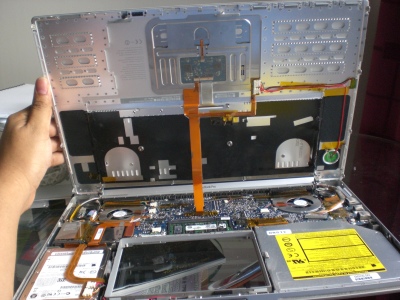
I didn’t have a Torx T6 screwdriver, so I had to buy one. Unfortunately, I can’t find a single screwdriver for Torx T6, so I have to buy a set, which cost me 120 baht (about 3.5 USD). The process was relatively easy and takes about 30 or 40 minutes. If you don’t have the time or patience to do it, just remember that next time you want to upgrade your MacBook Pro hard drive, you should take it to the store (especially if your MacBook Pro is still under warranty).
As a tip: I use my digital camera to take pictures of every step, In case I forgot what is the previous state of the things I take apart.
Here are the photos that I took when replacing the hard drive: http://www.flickr.com/photos/yohanes/sets/72157619774176803/
One thought on “Changing MacBook Pro Harddrive”