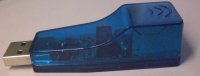
I have concluded the source of failure for many applications is that the sendfile syscall on my port doesn’t work. To be precise, sendfile sends garbage data to the other side. I have an USB to Ethernet adapter, and using that adapter, the problem disappears. So the conclusion is that my network driver is buggy.
Applications that might be affected are: network servers that sends file (http servers, file servers, etc), distcc.
I will try to fix this tomorrow.
This is the latest patch (add NAPI to the network driver):
http://tinyhack.com/agestar/patch-2.6.25.4-for-agestar-20080621.bz2
I have uploaded the instruction on how to install Debian on Agestar NCB3AST at:
http://tinyhack.com/agestar/
I am also testing exposing my Agestar NCB3AST to the world, I have installed a web server on my device. The same information above can be accessed at:
http://irina.homelinux.com/
Please note that the later URL may not always available. First, my bandwidth is limited, and second, sometimes I still develop and/or test something on it that needs restarting the device.
First the bad news: the network driver in the new kernel is not performing very well, if i remember correctly, this is about twice slower than the original kernel. The maximum speed is around 2.75 mb/s for FTP , 1.4-1.50 mb/s for SAMBA, and 618 kb/s for SSHFS. I have tried implementing NAPI (I will upload the patch soon), but it doesn’t help very much. I have tried to optimize the kernel settings, but no luck so far.
Now, the good news: I have been able to install Debian Etch for ARM in my Agestar using the instruction in here: http://wiki.dns323.info/howto:install_debian. Of course there are differences in booting, and configuring stuff, but the steps to produce the root file system are the same. I have also managed to write new kernel to the flash (by using dd if=bootpImage of=/dev/mtdblock1), so now my agestar will go directly to Debian when i turned it on.
I will clean up the code, and write the instruction on how to install Debian this weekend.
It seems I can get the useland working fine with the latest uClibc snapshot. So far I have been able to boot the kernel using TFTP, and uses root image from NFS and USB, tonight i think I will try to flash the kernel using the mtd driver (for those of you who wants to try before me, flash /dev/mtd1 and use bootpImage for that mtd partition).
Here is the latest patch against 2.6.25.4 (with mtd driver):
patch-2.6.25.4-for-agestar-20080618.bz2
Config file for booting with USB root file system. I am using external USB stick (/dev/sdb1) change it to /dev/sdaX to use the hard disk inside Agestar.
Config file for booting NFS root file system. Don’t forget to change the client IP address (mine is 192.168.1.244), server IP address (mine is 192.168.1.150) and the mount path (mine is /opt/boot).
I finally managed to complete the OHCI part of the driver. Right now some of the most important parts of the kernel is ready: Networking and USB. It means that with the new kernel I will be able to make my Agestar to function as NAS. But of course this is not ready to use yet for most of the people.
Next parts that needs to be done are:
- MTD access –> so we can update the flash with the new kernel easily
- RTC (Real Time Clock) –> Not so important if the device is always connected to the internet (we can synchronize the time with NTP every few hours)
- Button –> Not so important (so we can assign the USB_EXIT button to do something when it is pressed)
I am not sure if I can do more work this weekend, so I am publishing the current patch that I have with the config file.
the patch for kernel 2.6.25.4:
http://tinyhack.com/patch-2.6.25.4-for-agestar.bz2
The config file:
http://tinyhack.com/config-2.6.25.4
STR9100 has two Host Controller Interface, EHCI and OHCI. Enhanced Host Controller Interface (EHCI) is used for high speed USB, while Open Host Controller Interface (OHCI) is used for full and low speed devices. I think I have completed the EHCI part (it can detect my USB disk and the internal hard disk), but I haven’t tested this extensively. The OHCI part may not seem important if we only use high speed devices, but it is. When I tried plugging in low speed device, the port becomes unusable (even when I unplug the device and insert a new USB 2.0 device).
I will try to complete the OHCI part, and I hope I can post the source code this weekend after cleaning up the debugging part. I also plan to support the MTD device access so we can update the firmware easily. Updating from the old kernel to the new one will be easy with the web interface, but it is important that we can update the new one also (currently I am still booting from tftp server).
There are quite many limitations using old kernel for Agestar, one of them is you can not install the latest Linux distribution. I am eager to make the new Linux kernel to work on the agestar hardware. So since my last post, mainly I am just hacking at the kernel and not at the userspace stuff. As of today, I managed to boot the new kernel, and wrote a serial driver for it (you can see the boot messages at the end of this post). My next target is to port the USB and/or NIC driver.
As you may have read from my earlier posts, there are no documentations available for the STR 9100 hardware, so I based my work on the source code of the earlier kernel (I can’t believe so many things have changed since the 2.4.36). The initial work is quite easy if you are an experienced kernel developer. Because I am not experienced, I need to study quite many things before reaching the current state.
Because I don’t have any documentation about the FA526 CPU, I took the CPU specific code from the Icy Box. They provide the source code for Kernel 2.6. The SoC uses the same Processor, but completely different hardware for the rest (well, something is better than nothing). For the serial port, I realized that the serial port used is "High-speed 16C550-compliant UART serial channel" http://www.starsemi.com/vChn/Prods/str9104.php, so I studied the source code for 8250.c and added a small code to specify the the UART speed, register mapping, and memory location for the UART IO. This creates a much cleaner code than the original serial_str9100.c source code. The serial_str9100.c was 3799 lines of code, mine was about 100 lines of code (70 lines of code in a separate file, and the rest is adding register mapping to 8250.c).
My next plan is to work on the network driver. This should be not so difficult, at least I have higher hope to make this work compared to the USB part. The old network driver have some conditional compilation that indicates it can be compiled in kernel 2.6. I have tried to compile it, and there were many errors and warnings. I will try removing many codes that was not meant for the Agestar configuration (the kernel was from the WAP2000 router, so it contains router specific codes such as to acess hardware NAT).
Continue Reading »
With the help from kineq from the http://tech.groups.yahoo.com/group/FT3563-BT mailing list, I manage to get the network device working. The correct setting was Virgo (Two Macs) option.
I also managed to update the WAP200 source code to 2.4.36.4 by patching it one by one using the patch from kernel.org. You can find the patch in the groups mailing list or here: http://tinyhack.com/files/patch-from-kernel-2.4.36.4-to-star.bz2. Download the latest 2.4 kernel, then apply the the patch.
Update: this is not very stable, I don’t know whether because of my kernel options, my current binaries, or something else.
I am still working to make this better.
Right now I am stuck with the network driver for NCB3AST. The network driver from Linksys WAP200 and WRVS4400N is different from the one in the original NC3AST. I am still thinking what should I do now.
As a side note, instead of holding USB EXIT, you can also hold the USB RESET to get to the Armboot menu.
In this post, I will explain some things about armboot boot loader that I have understood. The boot loader on NCB3AST is based on the open source Armboot, but modified by Star technology (unfortunately they don’t share their modification). You need to connect to the serial port using 38400N1. I am using kermit to connect, but you can use cu or other programs. To enter the Armboot boot menu, you must hold and press USB EXIT button while powering it on. You will start seeing delay tim 0 until 9, and after that, the device will try to connect to mass production server (I don’t know what the protocol is, but if we can reverse engineer this, this can potentially be used for unbricking the device without opening the device).
Continue Reading »